DevOps Intern Task Portal
Introduction to DevOps & Linux Environment
🎯 Objective
The objective of this session is to build a strong foundation in DevOps by understanding the DevOps lifecycle, software development workflow, Linux basics, and essential command-line operations. By the end of this session, you will be able to set up your own Linux environment, execute basic Linux commands, understand how DevOps bridges Development and Operations, and prepare your system for future automation and cloud deployment tasks.
This session is designed for beginners and focuses on practical implementation rather than only theoretical concepts.
📌 Learning Outcomes
After completing this session, you will be able to:
- Understand what DevOps is and why organizations use it.
- Explain the DevOps lifecycle.
- Understand Continuous Integration (CI) and Continuous Deployment (CD).
- Install and configure a Linux environment.
- Navigate directories using Linux Terminal.
- Create, copy, move and delete files.
- Understand file permissions.
- Execute basic Linux commands confidently.
- Understand package managers.
- Prepare your local system for upcoming DevOps tools.
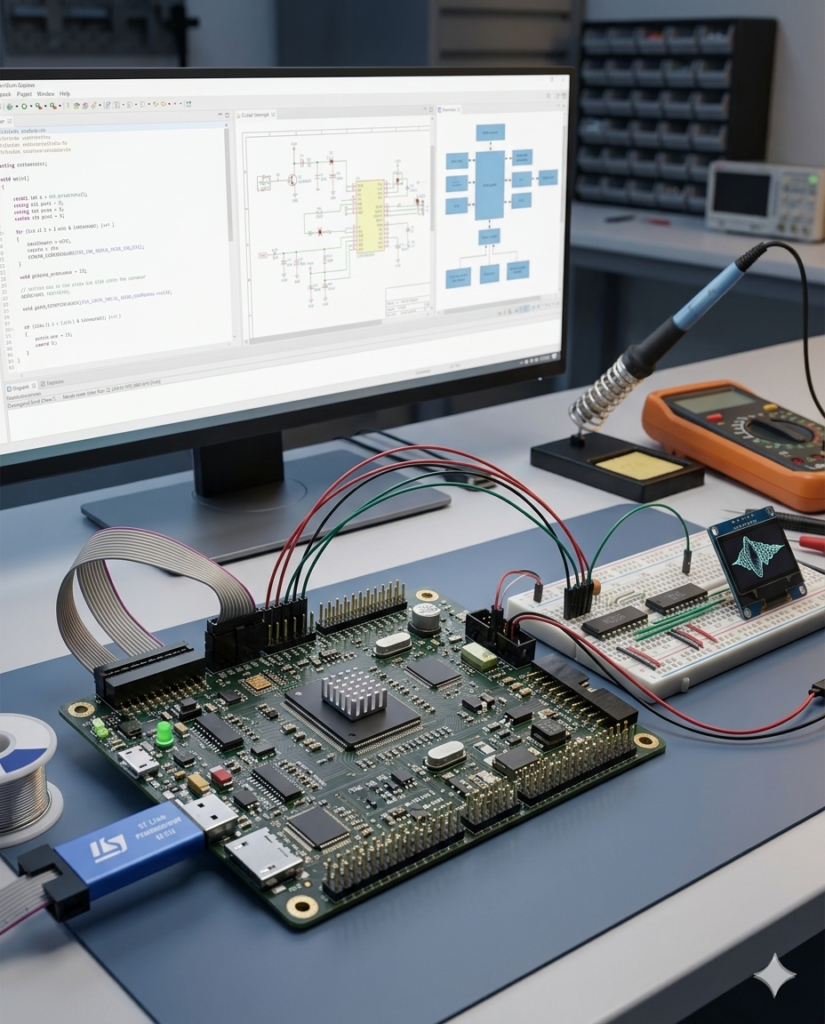
Our mission is to be a premier engineering and hardware design partner, bridging the gap between physical components and intelligent software. By leveraging state-of-the-art microcontrollers, edge-AI processing, and robust firmware architecture, we develop custom embedded solutions that power the next generation of smart devices. We are committed to delivering high-performance, energy-efficient, and scalable designs that seamlessly drive automation and connectivity across industries.
To pioneer intelligent hardware solutions by seamlessly integrating AI and machine learning at the edge.
To architect low-power, high-efficiency systems tailored for complex industrial, automotive, and consumer electronics applications.
To provide end-to-end development architecture, from initial schematic design and PCB layout to firmware optimization and rigorous testing.
To bridge the gap between IoT connectivity and hardware security, ensuring robust data processing and secure device ecosystems.
To empower businesses to scale by transforming complex engineering challenges into market-ready, micro-targeted technology products.
📢 Important Notice Regarding This DevOps Internship Session
Unlike our other internship programs, the DevOps Internship has been specially designed with one comprehensive training session.
Our technical team has combined all the essential DevOps concepts—from Beginner (Basic) to Intermediate level—into a single, well-structured training session. This approach allows you to learn the complete workflow without switching between multiple videos or waiting for additional portal releases.
Although there is only one training session, it contains a large amount of practical content. Therefore, do not attempt to complete the entire session in one day.
We strongly recommend learning at a comfortable pace and implementing every concept practically on your own computer.
📅 Recommended Learning Schedule
To ensure proper understanding and practical implementation, please follow the schedule below:
- Study only 30 minutes per day.
- Immediately implement every concept demonstrated in the video.
- Practice each Linux command and DevOps task on your own system before moving ahead.
- Save all your practice files, notes, screenshots, and command outputs in your DevOps project folder.
- Continue this process daily and complete the entire session within 5 days.
- After completing the full session, submit your assignment using the Google Form provided below.
⚠️ Important Instructions (Read Carefully)
- This internship contains only one comprehensive training session.
- The session covers Basic to Intermediate DevOps concepts in a structured manner.
- Do not skip any part of the video.
- Watch the session carefully and understand each topic before proceeding.
- Spend only 30 minutes per day to maintain consistent learning.
- Perform every practical step demonstrated in the session on your own computer.
- Do not simply watch the video—practice every command yourself.
- Save all practice files, Linux commands, screenshots, notes, and project folders.
- You may prepare your assignment using Digital Notes (PDF/Word) or Handwritten Notes (Scanned PDF or Images).
- Complete the entire session within 5 days from the date of receiving portal access.
- Submit your assignment only after completing the full session.
- Late or incomplete submissions may not be considered for evaluation.
- Future advanced internship opportunities and certifications may depend on successful completion of this assignment.
✅ SESSION 1: Complete CI/CD with Terraform and Kubernetes🎯 Objective:
🎯 Objective:
The primary objective of this session is to understand how to build a complete CI/CD pipeline using Terraform and Kubernetes. This session focuses on infrastructure as code, container orchestration, automated application deployment, continuous integration, and continuous deployment. Participants will learn how Terraform can provision infrastructure and how Kubernetes can be used to deploy, manage, scale, and monitor containerized applications.
🎥 Session:
👉 Watch the uploaded Session 1 – https://drive.google.com/file/d/1LJT4hLZTehbh0bPPW-9AyiKg1tqOv94i/view?usp=sharing
📝 Task:
Prepare notes on the following topics:
- Introduction to CI/CD pipelines
- Continuous Integration and Continuous Deployment
- Introduction to Infrastructure as Code (IaC)
- Introduction to Terraform
- Terraform architecture and workflow
- Terraform configuration files and providers
- Terraform resources, variables, outputs, and state
- Introduction to Docker and containerization
- Introduction to Kubernetes
- Kubernetes architecture and components
- Kubernetes Pods, Deployments, and Services
- Kubernetes configuration files using YAML
- Creating and managing Kubernetes resources
- Integrating Terraform with Kubernetes
- Building a CI/CD pipeline for an application
- Automating application deployment
- Environment management using Terraform and Kubernetes
- Benefits and challenges of Terraform-based Kubernetes deployment
🔎 Practice / Research:
Perform the following practical activities on your own computer:
- Install Terraform and verify the installation.
- Install Docker and run a sample container.
- Install or configure Kubernetes using Minikube, Kind, or Docker Desktop.
- Create a simple Terraform configuration.
- Initialize and validate a Terraform project.
- Create Terraform resources and practice
terraform planandterraform apply. - Create a simple Kubernetes Deployment.
- Create a Kubernetes Service.
- Deploy a sample containerized application to Kubernetes.
- Check Pods and Services using
kubectl. - Research how Terraform and Kubernetes work together in production CI/CD environments.
- Create a short summary explaining the complete CI/CD workflow from code commit to Kubernetes deployment.
📝 Internship Assignment Submission Form:
After completing the complete DevOps session and all practical implementations, submit your assignment, notes, and practice work using the Internship Assignment Submission Form.
📎 Form Link: https://forms.gle/YczUMc41oWrGstU8A
✅ SESSION 2: Complete CI/CD with React and AWS
🎯 Objective:
The primary objective of this session is to understand how to create a complete CI/CD pipeline for a React application using AWS. Participants will learn how source code is managed, built, tested, and automatically deployed to cloud infrastructure. The session introduces practical DevOps workflows using React, GitHub, AWS services, and CI/CD automation.
🎥 Session:
👉 Watch the uploaded Session 2 – https://drive.google.com/file/d/11er3_aousuL_-JaTD7le8k5lm4jTxu4h/view?usp=sharing
📝 Task:
Prepare notes on the following topics:
- Introduction to React applications
- React project structure
- Git and GitHub for source-code management
- Importance of version control in DevOps
- Introduction to AWS
- AWS cloud computing fundamentals
- AWS services commonly used in DevOps
- Introduction to CI/CD with React
- Build and deployment process of a React application
- Environment variables in React applications
- AWS hosting options for React applications
- Static website hosting
- AWS S3 overview
- AWS CloudFront overview
- AWS IAM basics
- Connecting GitHub with CI/CD tools
- Automated build and deployment
- Deployment environments
- Monitoring application deployments
- Rollback and failure handling
- Benefits of cloud-based CI/CD
🔎 Practice / Research:
Perform the following practical activities on your own computer:
- Install Node.js and npm.
- Create a sample React application.
- Run the React application locally.
- Create a Git repository for the project.
- Push the React project to GitHub.
- Create a production build using
npm run build. - Create an AWS account or use an available AWS learning environment.
- Research AWS S3 static website hosting.
- Research how React applications can be deployed using AWS.
- Configure a basic CI/CD workflow for a React project.
- Make a change to the React application and observe the automated deployment process.
- Research AWS services that can be used for production CI/CD.
- Write a short summary explaining how React code moves from GitHub to an AWS-hosted application.
📝 Internship Assignment Submission Form:
After completing the complete DevOps session and all practical implementations, submit your assignment, notes, and practice work using the Internship Assignment Submission Form.
📎 Form Link: https://forms.gle/YczUMc41oWrGstU8A
✅ SESSION 3: Deploy React App to GitHub Pages for Free
🎯 Objective:
The primary objective of this session is to learn how to deploy a React application to GitHub Pages using GitHub-based workflows. Participants will understand the React build process, GitHub repositories, deployment configuration, and automated publishing of web applications. The session demonstrates a simple and cost-effective approach to hosting frontend applications.
🎥 Session:
👉 Watch the uploaded Session 3 – https://drive.google.com/file/d/1Ut1VrdS03o0s5HndHmhLfsNN1sL6W21c/view?usp=sharing
📝 Task:
Prepare notes on the following topics:
- Introduction to React deployment
- Development environment vs production environment
- React application build process
- Git and GitHub fundamentals
- GitHub repositories
- GitHub Pages
- Advantages of GitHub Pages
- Limitations of GitHub Pages
- Installing Node.js and npm
- Creating a React production build
- Configuring React for GitHub Pages
- Repository settings for GitHub Pages
- Deployment using GitHub Actions
- Automated deployment workflows
- GitHub Actions fundamentals
- YAML workflow files
- Build and deployment stages
- Custom domains and GitHub Pages
- Troubleshooting common deployment problems
- CI/CD concepts demonstrated through GitHub Pages
🔎 Practice / Research:
Perform the following practical activities on your own computer:
- Install Node.js and npm.
- Create a basic React application.
- Run the application locally.
- Create a GitHub repository.
- Push the React project to GitHub.
- Install and configure the required GitHub Pages deployment package/workflow.
- Create a production build of the React application.
- Configure GitHub Pages for the repository.
- Deploy the React application to GitHub Pages.
- Make a change to the application and push it to GitHub.
- Verify that the updated application is automatically deployed.
- Research GitHub Actions and its role in CI/CD.
- Compare GitHub Pages deployment with AWS-based deployment.
- Write a short summary of the complete React-to-GitHub-Pages deployment workflow.
📝 Internship Assignment Submission Form:
After completing the complete DevOps session and all practical implementations, submit your assignment, notes, and practice work using the Internship Assignment Submission Form.
📎 Form Link: https://forms.gle/YczUMc41oWrGstU8A
✅ SESSION 4: DevOps Project – Creating Datasets and Tables in BigQuery
🎯 Objective:
The primary objective of this session is to understand how DevOps practices can be applied to cloud-based data engineering and BigQuery projects. Participants will learn about datasets, tables, schemas, data loading, querying, and managing data in Google BigQuery. The session also introduces how automation and cloud tools can support modern DevOps and data workflows.
🎥 Session:
👉 Watch the uploaded Session 4 – https://drive.google.com/file/d/1M_dTgLf8rxq1ZpuH4EhEG6bs_iDCDkgl/view?usp=sharing
📝 Task:
Prepare notes on the following topics:
- Introduction to Google Cloud Platform
- Introduction to Google BigQuery
- BigQuery architecture
- Projects, datasets, and tables
- BigQuery datasets
- Creating datasets
- Dataset locations and regions
- Creating BigQuery tables
- Table schemas
- Data types in BigQuery
- Loading data into BigQuery
- Importing CSV/JSON data
- External tables
- BigQuery SQL basics
- Running queries in BigQuery
- Filtering and sorting data
- Creating views
- Managing BigQuery resources
- BigQuery permissions and IAM
- Data security and access control
- BigQuery cost management
- Automation and DevOps practices for data projects
🔎 Practice / Research:
Perform the following practical activities on your own computer or Google Cloud environment:
- Create or access a Google Cloud project.
- Open Google BigQuery.
- Create a new dataset.
- Select an appropriate dataset location.
- Create a table inside the dataset.
- Define a table schema.
- Upload a sample CSV dataset.
- Query the created table using SQL.
- Practice
SELECT,WHERE,ORDER BY, and aggregate queries. - Create a simple BigQuery view.
- Research BigQuery IAM roles and permissions.
- Research how BigQuery can be integrated into DevOps/data pipelines.
- Research the difference between datasets, tables, views, and external tables.
- Write a short summary explaining how BigQuery can be used in a modern cloud-based DevOps/data project.
📝 Internship Assignment Submission Form:
After completing the complete DevOps session and all practical implementations, submit your assignment, notes, and practice work using the Internship Assignment Submission Form.
📎 Form Link: https://forms.gle/YczUMc41oWrGstU8A
✅ SESSION 5: Introduction to DevOps Projects Series Course
🎯 Objective:
The primary objective of this session is to provide an introduction to practical DevOps projects and demonstrate how the concepts learned throughout the course are applied to real-world software development and deployment. Participants will understand the complete DevOps lifecycle, including source-code management, CI/CD, cloud deployment, infrastructure automation, containers, Kubernetes, and monitoring.
🎥 Session:
👉 Watch the uploaded Session 5 – https://drive.google.com/file/d/1tbjBjms5Na3Q46SDeXEwO5RxBxHcN0Pj/view?usp=sharing
📝 Task:
Prepare notes on the following topics:
- Introduction to practical DevOps projects
- DevOps project lifecycle
- Software development and DevOps workflow
- Source-code management with Git and GitHub
- Branching and merging strategies
- Continuous Integration
- Continuous Deployment
- CI/CD pipeline architecture
- Introduction to cloud computing
- AWS and Google Cloud fundamentals
- Infrastructure as Code
- Terraform and infrastructure automation
- Docker and containerization
- Kubernetes and container orchestration
- Deploying React applications
- GitHub Pages deployment
- Cloud-based application deployment
- BigQuery and cloud data projects
- Monitoring and logging
- Security in DevOps
- DevOps best practices
- Real-world DevOps project workflow
- Challenges faced during DevOps projects
- Career applications of DevOps skills
🔎 Practice / Research:
Perform the following practical activities on your own computer:
- Create a GitHub repository for a sample project.
- Practice creating branches and merging changes.
- Build a simple React application.
- Push the application to GitHub.
- Create a production build of the application.
- Deploy a sample React application using GitHub Pages.
- Research how the same application could be deployed using AWS.
- Install Docker and containerize a simple application.
- Research Kubernetes deployment of the containerized application.
- Install Terraform and create a basic Infrastructure-as-Code configuration.
- Research how Terraform can be incorporated into a CI/CD pipeline.
- Create or explore a sample BigQuery dataset and table.
- Draw a simple diagram showing the complete DevOps workflow:
📝 Internship Assignment Submission Form:
After completing the complete DevOps session and all practical implementations, submit your assignment, notes, and practice work using the Internship Assignment Submission Form.